
Contactless POS Terminal vs. Mobile Reader vs. Kiosk for Events

Key Takeaways
The best event checkout hardware depends on the job. Countertop terminals, mobile readers, and kiosks each win in different zones, and most large events run all three.
- A contactless POS terminal anchors fixed, high-volume points like bars and main concession stands, where speed under load matters most.
- Mobile card readers move checkout to the customer, cutting lines during rushes and covering roaming or tableside sales.
- Kiosks shift ordering and top-ups to attendees, absorbing peak demand without adding staff.
- The strongest deployments are hybrid, matching each form factor to the zone it serves instead of forcing one device everywhere.
Start with your busiest hour and your venue map, not a spec sheet, and let the traffic pattern pick the hardware.
Picture the busiest ten minutes of your event. A headliner just wrapped, and a few thousand people hit the bars at once. The hardware behind each counter decides whether that crowd clears in minutes or backs up into a wall of frustrated attendees. That is why the choice between a contactless POS terminal, a handheld card reader, and a kiosk is an operational decision, not a shopping one. The math is blunt: a contactless tap clears far faster than chip-and-PIN, so the device you place at each point of sale directly shapes how many people you can serve when it counts. Purpose-built event payment platforms treat this as a layout problem rather than a single purchase.
This event POS hardware comparison breaks down the three form factors event operators actually deploy: countertop terminals, handheld readers, and kiosks. It weighs them on cost per unit, deployment time, throughput, staff training, and best use case, then shows how to combine them. By the end, you will know which setup fits your venue and where each device earns its place.
How Does a Contactless POS Terminal Compare to Mobile Readers and Kiosks?
Each form factor solves a different problem, and the differences only surface under event conditions: compressed peak demand, shaky connectivity, and staff who were hired last week. Before matching hardware to zones, it helps to see what each device is actually built for and where its limits show.
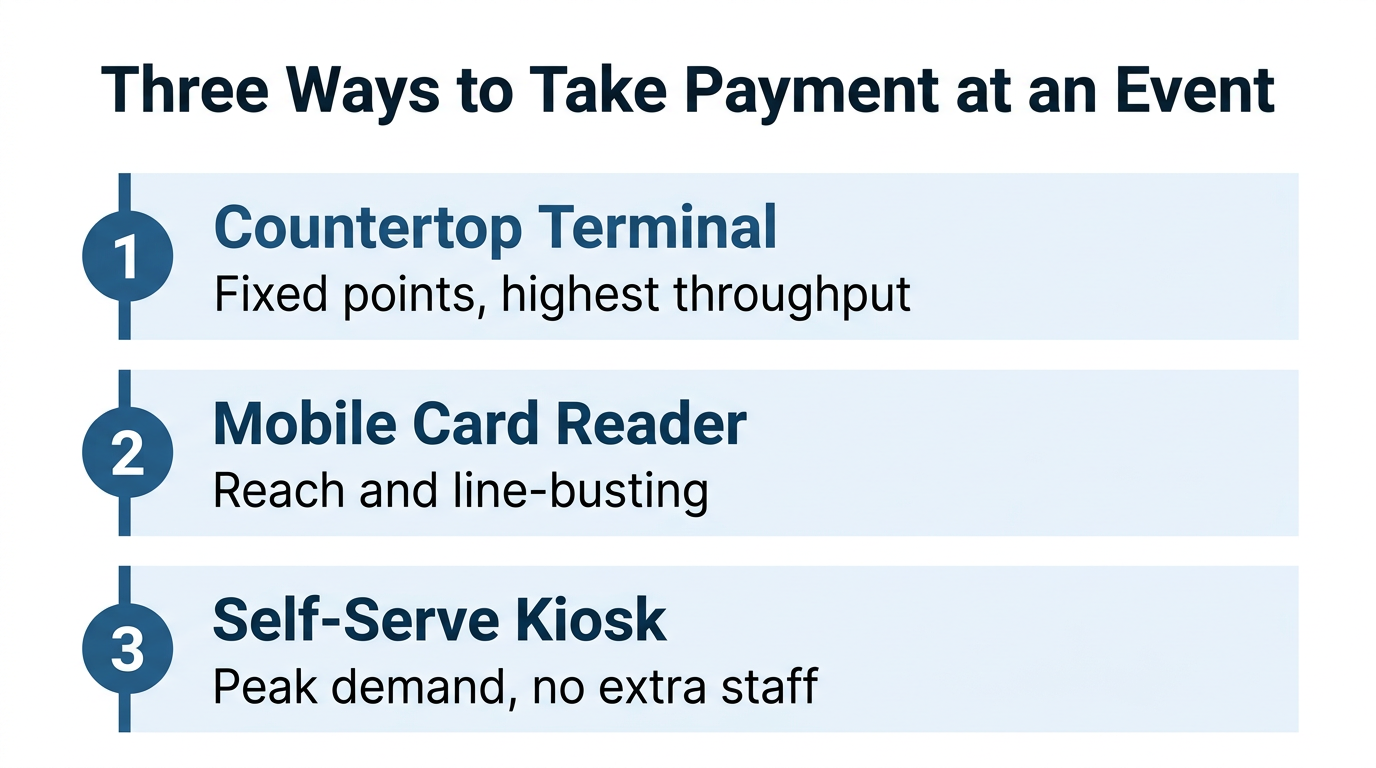
Countertop Contactless POS Terminals
A countertop terminal is the fixed workhorse of event checkout. Mounted at a bar, concession stand, or merchandise counter, it pairs a large touchscreen with an integrated reader that accepts taps, chip cards, mobile wallets, and RFID wristbands through one device. Cost per unit sits in the middle of the three form factors, higher than a bare handheld reader but well below a full kiosk enclosure. Deployment is quick once power and mounting are sorted, and because staff work at a familiar register, training is minimal.
Throughput per device is the real draw. A fixed station lets a trained cashier ring sale after sale without moving, so a single terminal clears more volume per hour than a device a staffer has to carry. For a primer on how tap-based checkout works underneath, this guide to contactless POS systems walks through the components in detail.
Handheld and Mobile POS Card Readers
A mobile reader turns a handheld device into a full checkout that staff carry into the crowd. This is line-busting hardware: instead of making attendees walk to a fixed counter, a runner with a mobile reader meets them where the line is forming. Deployment is the fastest of the three, since the units are essentially grab-and-go, and cost per unit is the lowest.
The tradeoff is throughput per device, which runs lower than a countertop station because one staffer handles one transaction at a time while moving. That is a feature, not a flaw, when the goal is reach rather than raw volume. A mobile POS card reader is the one form factor built to bring checkout to the attendee at busy events.
Self-Serve Kiosks
Kiosks flip the model by putting checkout in the attendee's hands. A guest walks up, browses, orders, and pays with no staffer in the loop, which is why kiosks shine at absorbing peak demand without adding headcount. That appeal is showing up in the numbers: the self-service kiosk market is projected to reach USD 62.46 billion by 2030, growing at a 10.9 percent CAGR.
The tradeoff is cost and footprint. A kiosk is the most expensive form factor per unit and takes the longest to deploy, since it needs a stable install, power, and clear signage. Staff training shifts from operating the device to helping guests use it, and pairing kiosks with cash-to-card conversion stations keeps cash-preferring attendees included. Across a long day, self-serve kiosks at events pay for themselves in the labor they replace.
Which Event POS Hardware Is Right for Your Venue?
The honest answer to any event POS hardware comparison is that no single form factor wins everywhere. The right call depends on where the device sits, how hard it gets hit, and who is standing behind it. Match the tool to the zone rather than standardizing on one box.
Put fixed terminals where volume is highest and sustained: main bars, flagship concession stands, and merchandise counters that run all day. These points need throughput and durability more than mobility, and a fixed station delivers both without asking staff to juggle a device in one hand.
Reach for mobile readers where lines form unpredictably or where the sale has to travel: VIP sections, tableside service, roaming vendors, and overflow support when a fixed line gets long. Their speed to deploy makes them the pressure-release valve of the whole setup, spun up in minutes when a queue starts to build.
Deploy kiosks where demand spikes on a predictable pattern and the order is simple enough to self-complete: entry-point top-ups, food courts, and quick-serve stands. They trade a higher upfront cost for labor you do not have to hire on your busiest day.
Can You Combine Terminals, Readers, and Kiosks in One Deployment?
The most resilient events do not choose one device. They layer all three, using each where it is strongest, and run them through a single backend so every sale rolls up into one view instead of three disconnected feeds.

A hybrid deployment might anchor each bar with a fixed terminal, float mobile readers through the crowd during peak sets, and station kiosks at entrances for wristband top-ups. The key is that all three share one platform, so pricing, inventory, and reporting stay unified no matter which device rang the sale. This is the architecture behind the most reliable contactless POS for festivals, where a single field can host dozens of vendors across every form factor. A cashless and contactless POS platform built for events is what makes that mix behave like one system rather than three.
Six Factors to Weigh in Any Event POS Hardware Comparison
Before you sign off on a hardware mix, run every option through these six factors.
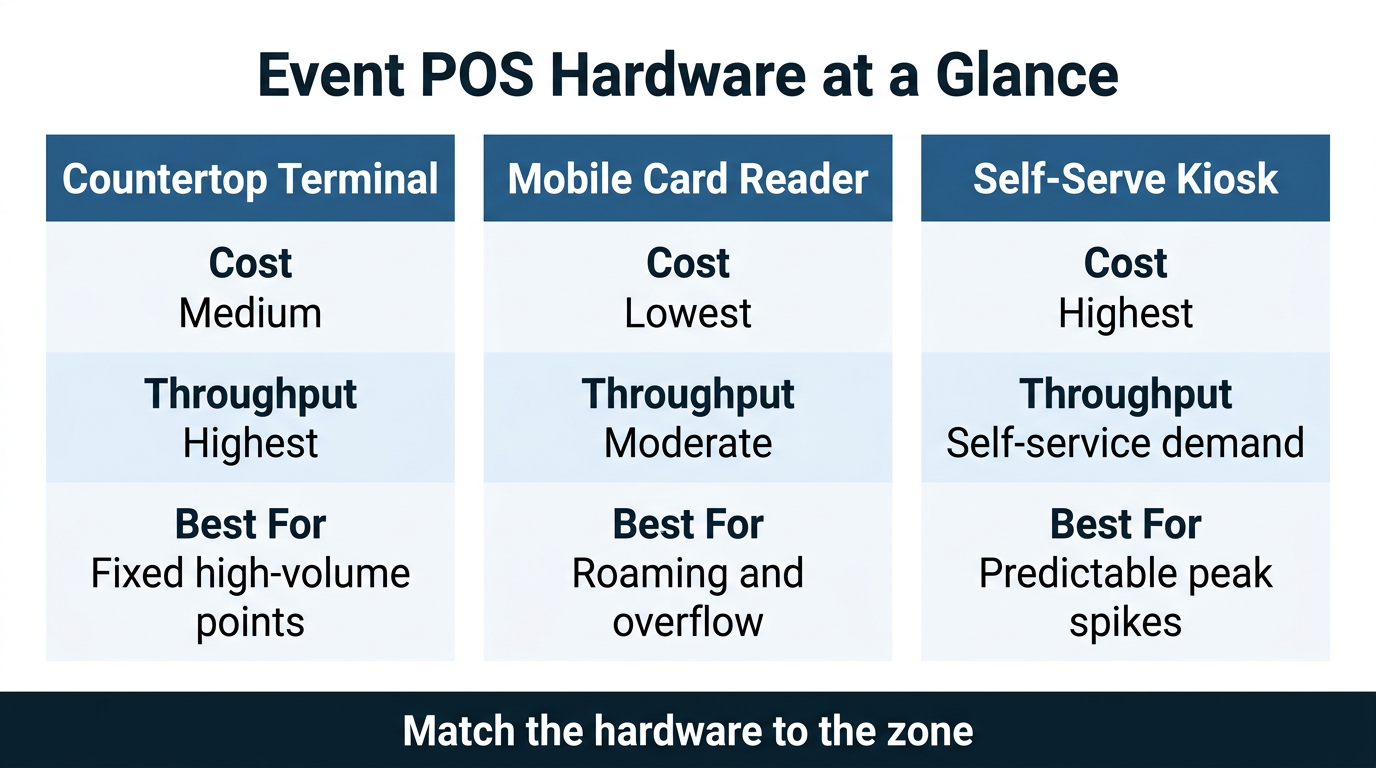
- Cost per unit. Handheld readers are cheapest, terminals sit in the middle, and kiosks carry the highest per-unit price once the enclosure and install are counted.
- Deployment time. Handheld readers are close to grab-and-go, terminals need power and mounting, and kiosks take the longest to install and test.
- Throughput per device. Fixed terminals handle the most sustained volume, kiosks absorb parallel self-service demand, and mobile readers trade raw throughput for reach.
- Staff training. Terminals lean on familiar register habits, mobile readers add movement and device care, and kiosks shift staff from operating to assisting.
- Best use case. Terminals for fixed high-volume points, mobile readers for roaming and overflow, kiosks for predictable spikes and simple orders.
- Hybrid strategy. The strongest setups combine all three on one platform, so no single form factor becomes the bottleneck.
Frequently Asked Questions
What Is a Contactless POS Terminal?
A contactless POS terminal is a fixed checkout device that accepts payment when a customer taps a card, phone, or RFID wristband near its reader, with no swipe or chip insert. It combines a touchscreen, an integrated reader, and payment software in one unit. At events, it anchors high-volume points like bars and concession stands where speed under load matters most.
Are Mobile POS Card Readers Fast Enough for Busy Events?
Yes, for the right job. A mobile reader is built for reach and line-busting, letting staff take payment out in the crowd rather than at a fixed counter. It processes one sale at a time, so for the very highest sustained volume you still want fixed terminals, with mobile readers covering rushes, roaming vendors, and tableside sales.
Do Kiosks Work at Outdoor Festivals?
They can, with the right hardware and placement. Kiosks used outdoors need weather-resistant enclosures, reliable power, and clear signage to perform. Where those conditions are met, they absorb peak ordering and top-up demand without adding staff, which is why they suit entry points and food courts at large events.
How Many POS Devices Does an Event Actually Need?
It depends on peak transactions per hour, not total attendance. Map your busiest window, work out how many parallel checkouts that volume requires, then distribute terminals, mobile readers, and kiosks across zones to match. Planning around the peak rather than the average is what keeps lines short when it matters most.
Choosing the Right Event POS Hardware Mix
There is no universal best device for event checkout. A fixed terminal wins at high-volume points, a mobile reader wins on reach and speed to deploy, and a kiosk wins at absorbing predictable spikes. The operators who get this right start with their venue map and their busiest hour, then assign each zone the form factor that clears its crowd fastest. The goal is a mix that behaves like one system, not three devices fighting over the same network.
Billfold builds cashless and contactless POS for events that runs terminals, mobile readers, and kiosks through a single platform, so every sale lands in one real-time view. Reach out to the Billfold team to map the right hardware mix to your venue.
