
New Payout Report
Available in Dashboard
The new Payout Report provides a clear and detailed view of how sales turn into payouts in your bank account.
It shows exactly which transactions are included in each payout and helps eliminate confusion around aggregated deposits, payout timing, and reconciliation.
Full Payout Status Visibility
Operators can instantly see whether a payout is still awaiting processing or has already been deposited into the bank account.
This makes it easier to track the payout lifecycle directly from the Dashboard.
Breakdown
Each payout can be broken down by:
- Sales date
- Event
- Revenue center
This allows operators to understand how different sales periods contribute to a specific payout.
Clear Financial Details per Payout
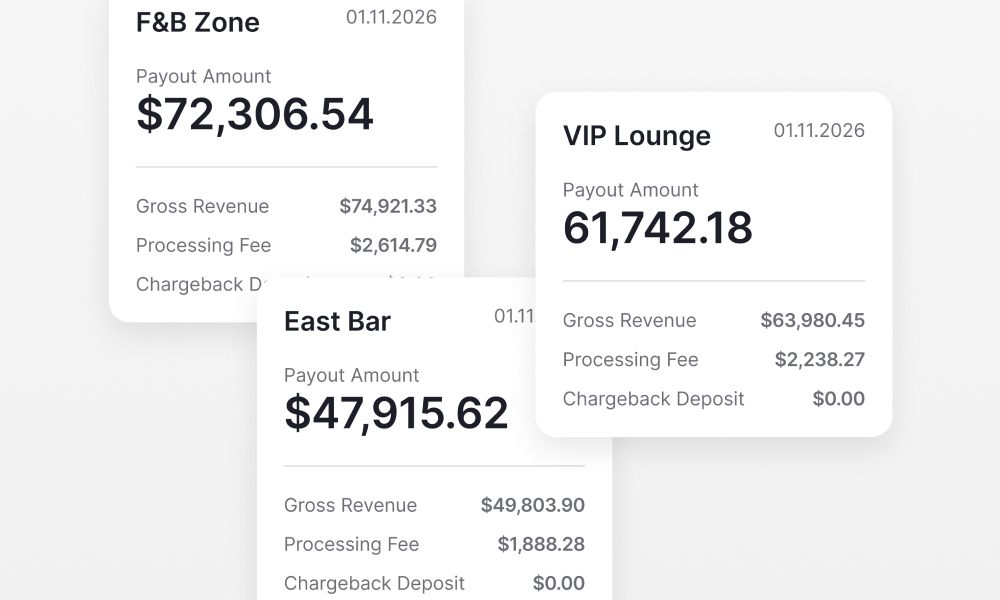
For each payout, the report provides key financial details:
- Gross revenue
- Processing fees
- Chargeback deposit amounts
- Final payout amount
- Payment account used
- Amount due
Expandable Payout Details
Each payout can be expanded to see how individual sales days contribute to the total deposit.
This provides additional transparency into how deposits are formed.
Designed for Reconciliation and Accounting
The Payout Report is designed to make reconciliation easier for operators and finance teams.
It helps match payouts with sales activity and simplifies matching deposits with bank statements.
